
Placements impact and what to do
If your placement has been adversely impacted you should first visit the Monash University COVID placement information webpage:
https://www.monash.edu/medicine/covid-information-for-mnhs-students-and-staff/placement-information
This page is solely for instructing you on how placement disruptions should be handled on this NMCAR website.
Below we describe how to handle the NMCAR reports for
Cancellation of a placement
If your placement is cancelled and your have not created a placement in NMCAR there is nothing you need to do.
If you have created a placement and no reports have been created you can delete the placement by clicking the trash can on the far right. When you next reload the page the placement will be gone.

If you have reports already in your placement it is unlikely this will be classified as a cancelation, but rather a disruption to your placement. See below for more information about cancellations.
Disruption to placements
Disruptions to your placement are most likely to result in rescheduling of your placements, changing wards mid placement, or, making up hours at a later time. Please see the link for more information about disruptions.
Below are the instructions on how you should adjust your reports for each situation.
Rescheduling of your placements
If your placement is rescheduled before you have started, and you have not created a placement in NMCAR there is nothing you need to do.
If you have created a placement and no reports have been created you can delete the placement by clicking the trash can on the far right. When you next reload the page the placement will be gone.
If you have reports added to your placement, leave the placement and reports.
When your rescheduled placement starts create a new placement if any of the following are true:
- Your placement is with a new provider
- There is a gap of more than 2 weeks between the finish of the original placement and the start of the rescheduled placement
If your placement stays with the same provider and is only delayed by a few weeks please utilise the current placement. New supervisors from the same provider will be able access your reports even if you have changed hospital sites. We advise that you and your supervisor makes notes about the changes to your placement in the general comments at the end of the form.
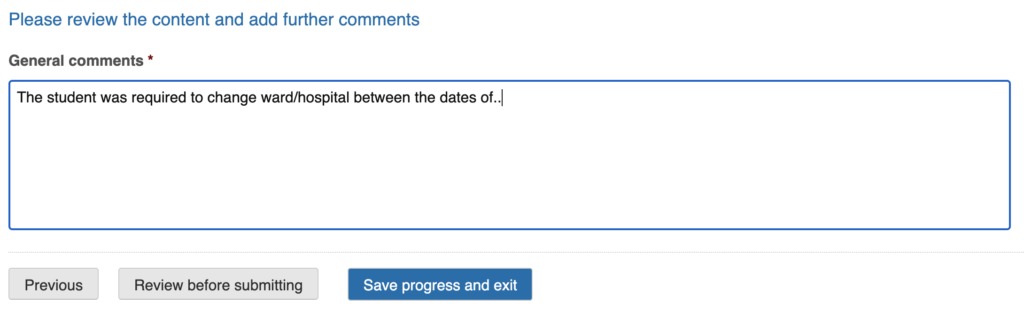
Changing wards mid-placement
If you are changing wards during you placement you can continue to use the current placement. Any new supervisor from the same provider will be able to access your reports. We advise that you and your supervisor makes notes about the changes to your placement in the general comments at the end of the form.
In the unlikely case where you are changing providers, leave the current placement as is and create a new placement entry for the new provider.
Making up hours at a later time
Complete your placement reports as normal, and have supervisors note the hours/days missed. If you are making up hours before the submission deadlines for the reports, supervisors may wish to update the fields before submitting.
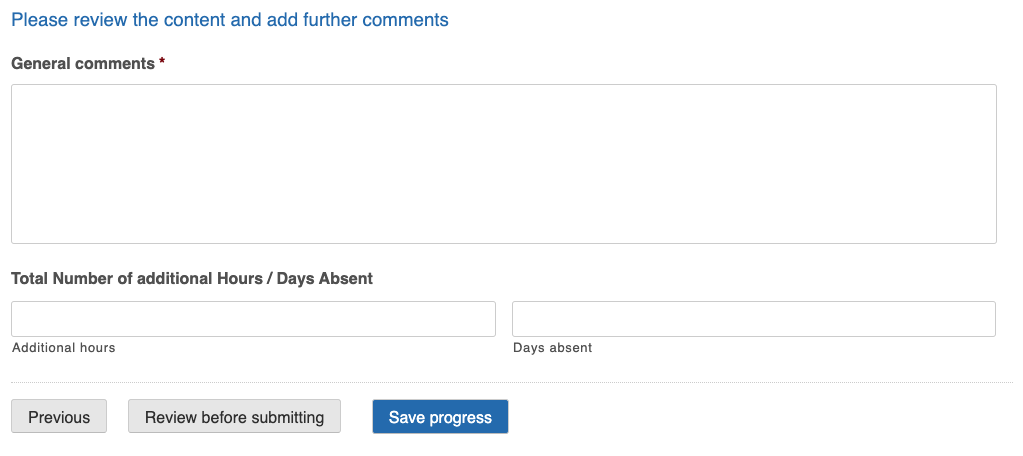
If you are waiting to make up hours at a later time, weeks, months or in the following year submit the placement as normal and stay in communication with the course coordinator and your clinical placement contact at Monash University.
Opting-out of your placement
For opting out of a placement make sure you follow the recommended protocol on the Monash University COVID placement information webpage:
If you opt out of the placement you have two options on NMCAR.
- You can leave the unfinished placement in your reports page
- You can choose to remove the placement from your reports page
If you leave the placement (option 1) you will continue to have access to any of the reports completed so far.
If your remove the placement (option 2) it will be removed from the reports page and you will lose access to any reports filled out so far. You will need to request that the placement be re-instated if you wish to have access again. Deleting a placement does not remove the data from the system, which is why we can re-instate it. Remove a placement by clicking the trash can on the far right. When you next reload the page the placement will be gone.

We recommend option 1, if you have any reports already filled out, and option 2 if your placement has no reports filled yet.